
The Black Friday and Cyber Monday Deals are back and we have listed some offers on various WordPress Plugins and Themes provided by various WordPress companies.

WooCommerce Addon Uploads Pro
Offer : 20% OFF on annual license
Valid Through : 25th November 2020 to 30th November 2020
USE CODE : BF2020

WooCommerce Variation Reports
Offer : 20% OFF on annual license
Valid Through : 25th November 2020 to 30th November 2020
USE CODE : BF2020

Tyche Softwares
Offer : Get upto 60% Off on all Tyche Softwares WooCommerce Extensions and Bundles
Valid Through : 24th November 2020 to 30th November 2020
USE CODE : No Code Required

Astra
Offer : Get upto 40% Off on one of the fastest and popular WordPress Theme
Valid Through : 24th November 2020 to 1st December 2020
USE CODE : No Code Required
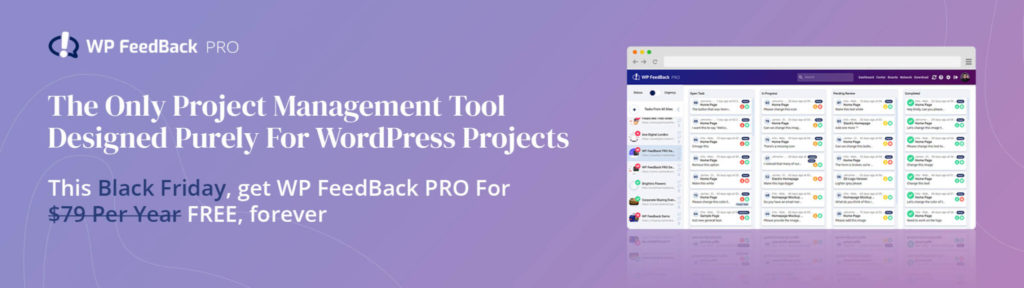
WP Feedback Pro
Offer : A free 1 domain plan, usually $79 per year & $500 worth of bonuses on other plans.
Valid Through : 23rd November 2020 to 30th November 2020
USE CODE : No Code Required

Template Monster
Offer : TemplateMonster.com (all) products – up to 70% off, TemplateMonster.com services – up to 40% off
Valid Through :
USE CODE : No Code Required

Beaver Builder
Offer : Get 25% Off
Valid Through : 27th November 2020 to 30th November 2020
USE Code: No Code Required

Barn 2 Plugins
Offer : Get 30% Off on all plugins
Valid Through : 24th November to 30th November
USE CODE : BF2020
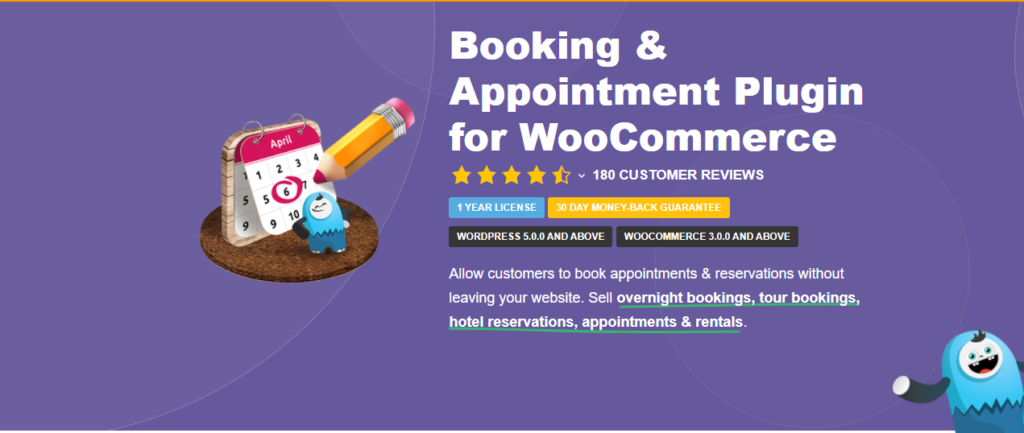
Booking and Appointment Plugin
Offer : Get upto 60% Off
Valid Through: 24th November 2020 to 30th November 2020
USE CODE : No Code Required

Convert Pro
Offer : Get upto 40% Off
Valid Through : 24th November 2020 to 1st December 2020
USE CODE : No Code Required

Spotlight Pro
Offer : Get 20% Off
Valid Through : 23rd November 2020 to 1st December 2020
USE CODE : BF20
Booking and Appointment plugin for WooCommerce is being developed by Tyche Software team. It has a very good reputation of developing WooCommerce plugins like Abandoned Cart Pro, Order delivery date Pro, Product delivery date Pro, Deposits for WooCommerce and many more. This plugin can be used for various business such as booking Doctors appointment online, Hotel bookings, Scheduling meetings, booking tickets for movies, airlines or scheduling some travel, booking short term online tutorials or coaching, booking of space or banquets for some occasions etc and many more. This plugin helps one to schedule or allow various types of bookings as mentioned below.
- Fixed Time based bookings
- Single day bookings
- Date range based booking (From and To date)
- Allow bookings with approval
- Allowing booking fields as optional
- Works well with Gravity forms
This plugin is well integrated with WooCommerce. This plugin does not seem to have limitations for bookings and appointment. Most of all industry which requires booking can use this plugin. It is a very user friendly plugin and has a option to manually add a booking for the services provided. It allows one to sync bookings with google calendars and it has an option to import bookings from google calendars. Some of the features of Booking and Appointment plugin for WooCommerce are mentioned below.
Key Features of Booking and appointment plugin to Enhance your Business
- Allow recurring bookings along with reschedule option
- Integeration with google calenders and zoom meetings
- Compatible with Composite product extensions
- Compatible with Variable product
- Option to export bookings in csv, pdf, excel formats
Features of Booking and Appointment Plugin for WooCommerce
- Limit number of appointments for a time slot
- Allow users to select multiple slots they wish to book
- Send reminders through SMS and Emails
- Ability to approve or deny bookings
- Option to choose language, date and time format
- Time zone automatically converted to customers local time zone
- Allowing number of months to be shown on calendar
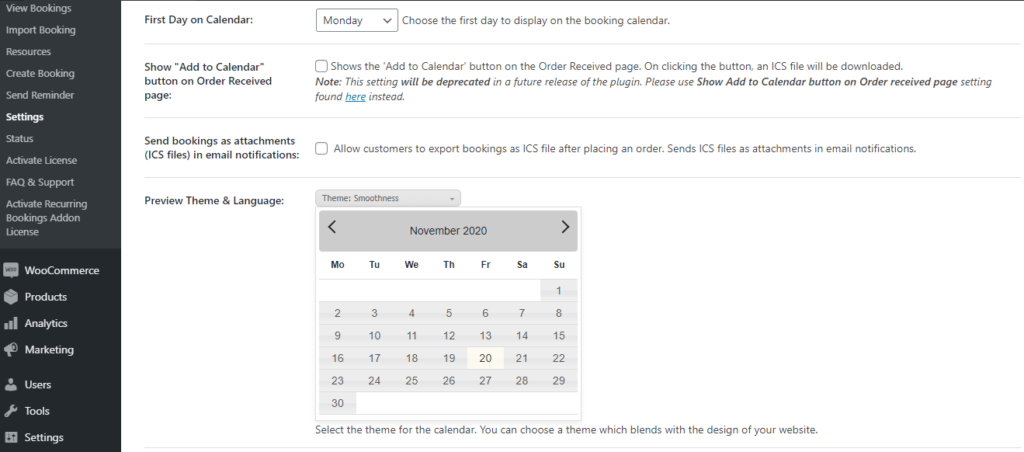
- Allowing to choose first day of week to be shown on calendar
- Send bookings as attachments in Email notification
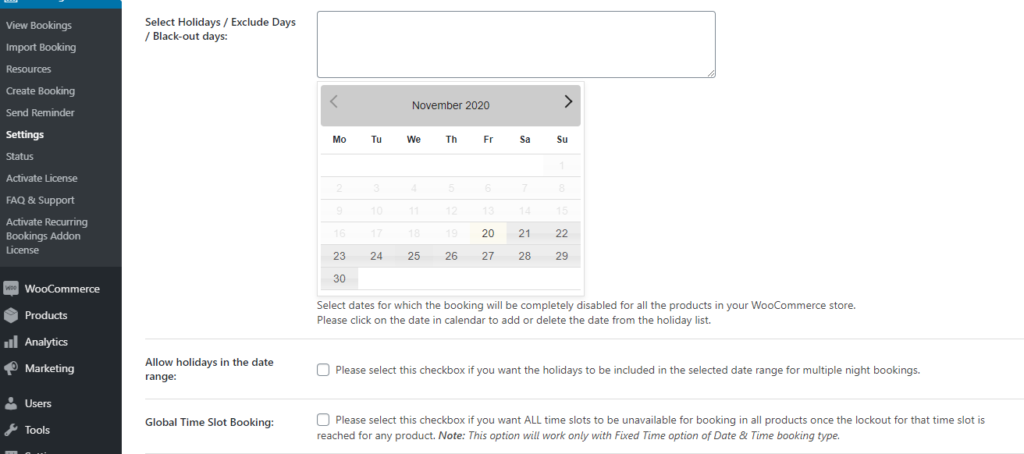
- Allows to select holidays, black out days and exclude days for bookings
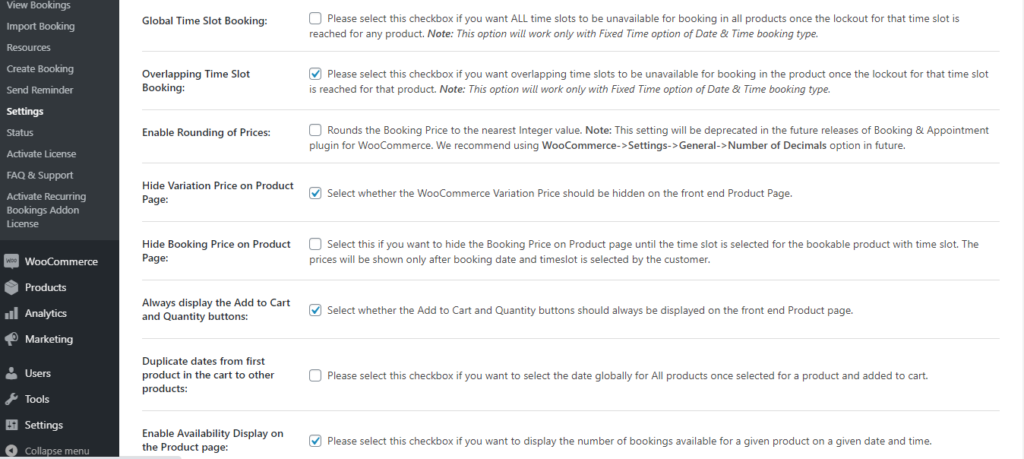
- Overlapping time slot booking i.e lockout for time zones or date of a service or product.
- Option to hide Variation price on product page
- Allowing option to hide booking price on product page
- Allows to duplicate dates from one product in cart to another
- Allowing to charge resource cost on per day basis
- Option for minimum number of days for booking
- Allows to reschedule bookings and option to set minimum number of days before which booking cannot be reschedule.
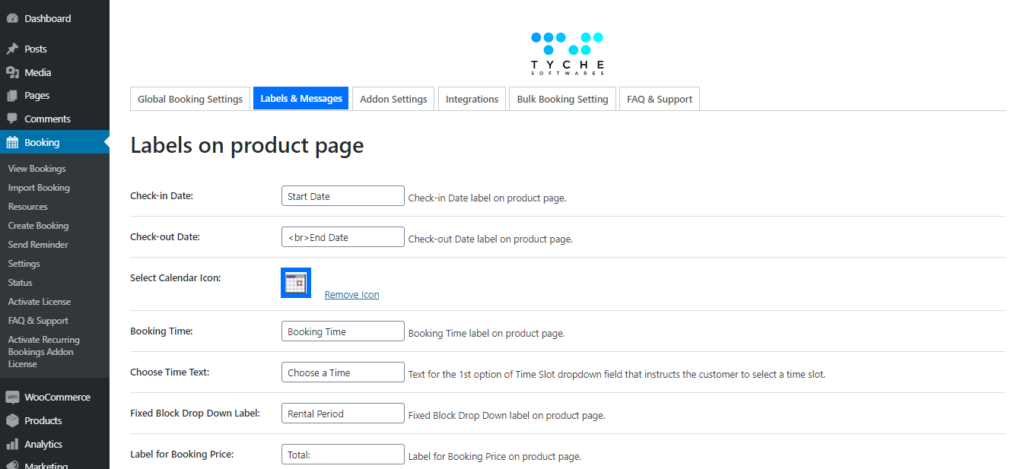
- Option to edit labels
- Bulk bookings
- Sync bookings with external calendars
- Capture unlimited bookings
Some of the Screenshots of Booking and appointment plugin for WooCommerce
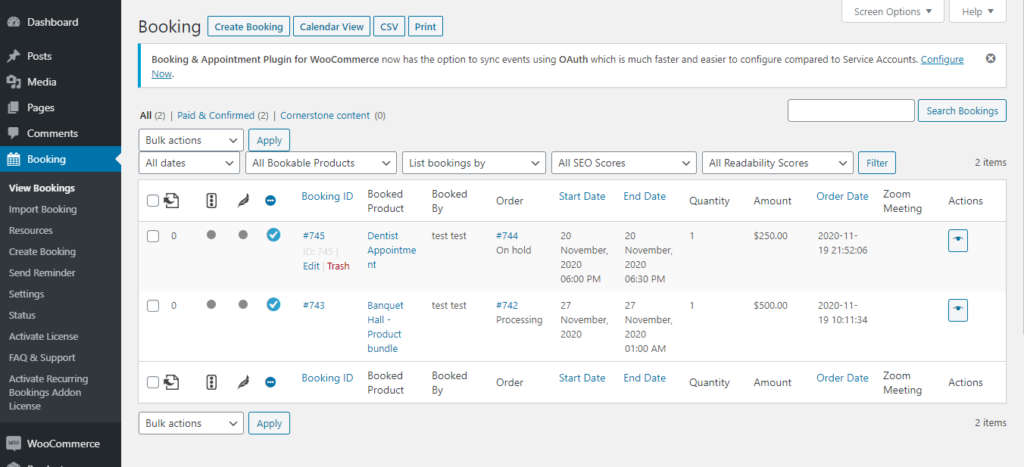
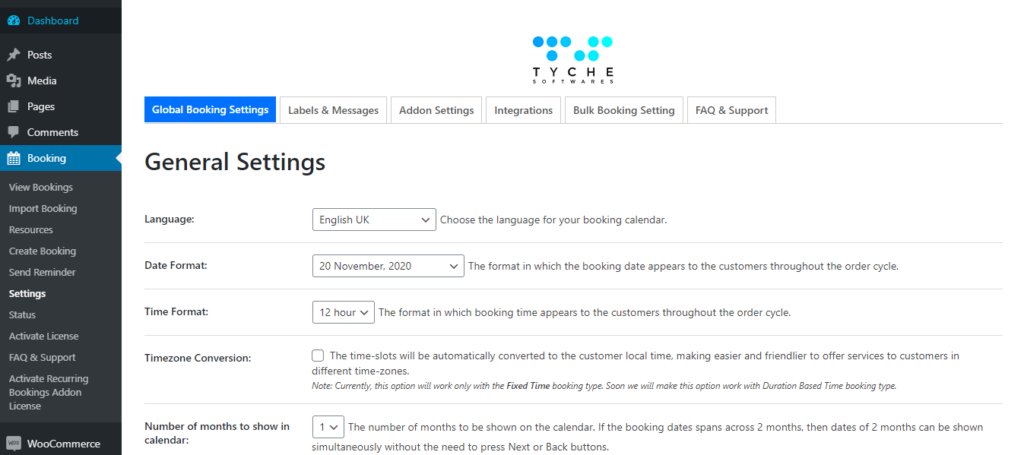

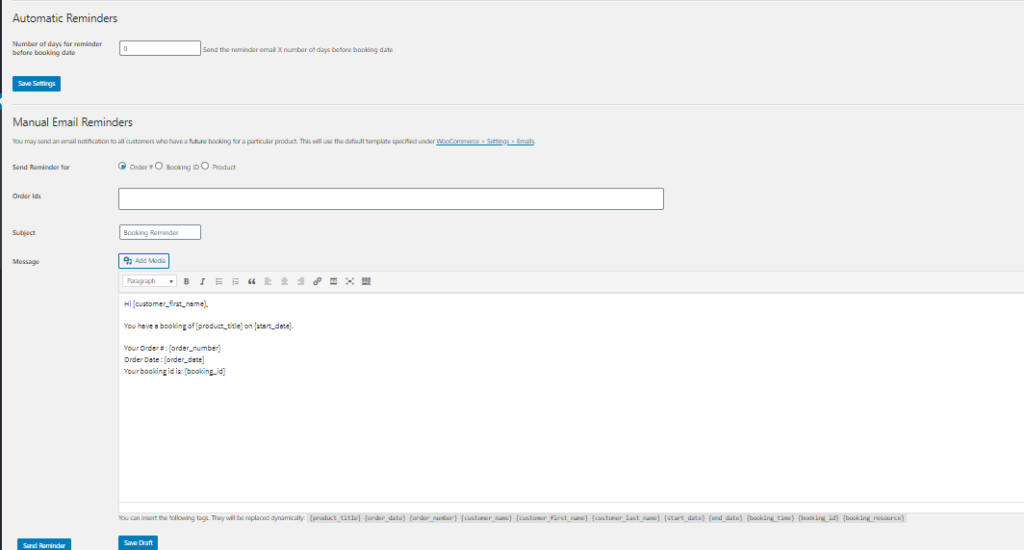
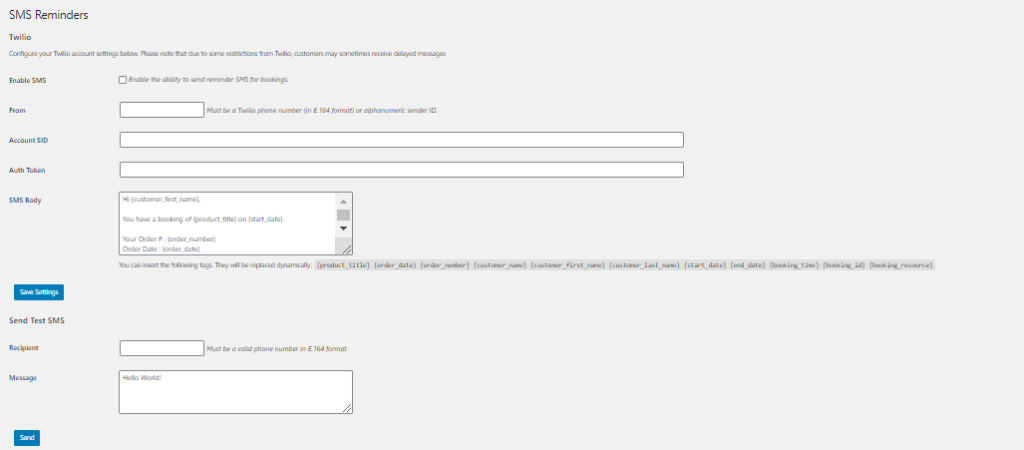
We may have missed some features here because plugin has wide range of features which may be difficult to cover in this single post. If you require taking bookings and appointment on your website or any of your product requires such bookings then this plugin is a must. Team provides a fast, promising support with 99.99% result to your queries. This plugin provides perfect returns for its value being charged. This plugin is available for a cost of $119/yearly. In our opinion, however, to know a booking plugin’s worth you actually need to know what it is capable of. It doesn’t matter what business you have, you just need to add a booking & appointment plugin for WooCommerce to manage everything easily.
Astra is one of the most popular WordPress themes with more than 1 million active installs on WordPress websites. Brainstorm Force is the company behind the development of Astra. They have many other products apart from Astra like Ultimate Addons, Convert Pro, Schema Pro and many more. Astra has a free version as well as a Pro version. Astra Pro is available for $59 Annual Subscription and $249 for a lifetime license. If you are planning to get a premium WordPress theme and customization is top on your priority list, then Astra is worth consideration.
Astra Pro is used to make various kinds of websites like a blogging site, displaying portfolio, E-commerce sites, business sites and many more. Astra Pro is a highly customizable WordPress theme that has many amazing features. It’s a lightweight (less than 50kb on frontend) theme and a website using Astra Pro should load within less than half a second. Astra Pro is compatible with all page builders like Elementor, Beaver Builder, Gutenberg, Brizy, Divi Builder and many other.
In Astra one can choose a template to design a website using Starter Template extension. Starter templates allows developer to import any free or pro template. Below are the features a developer should know before designing a website with Astra Pro. Below image shows how starter template looks and how one can import templates to site.
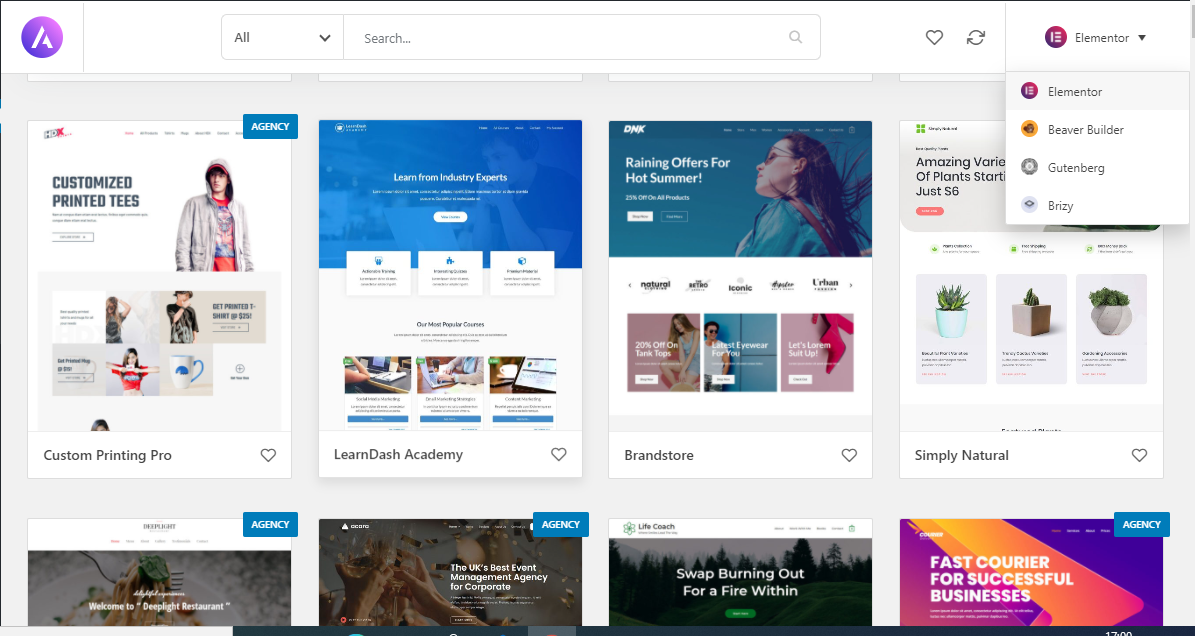
You can select a page builder and import its template to your site and can further design it as per your requirements.
Features of Astra Pro
- Layouts : A designer can design a website in different layouts as per their requirements. There are different types of layout available for headers, footers, blogs, single pages etc. In Astra Pro there is an option for boxed layout, Full width layout, Padded layout, Fluid layout to display primary content. Padded layout is one where one can add margins to the edges of the content to give it a padded look where as a fluid layout is one which goes edge to edge of the browser on all screen sizes
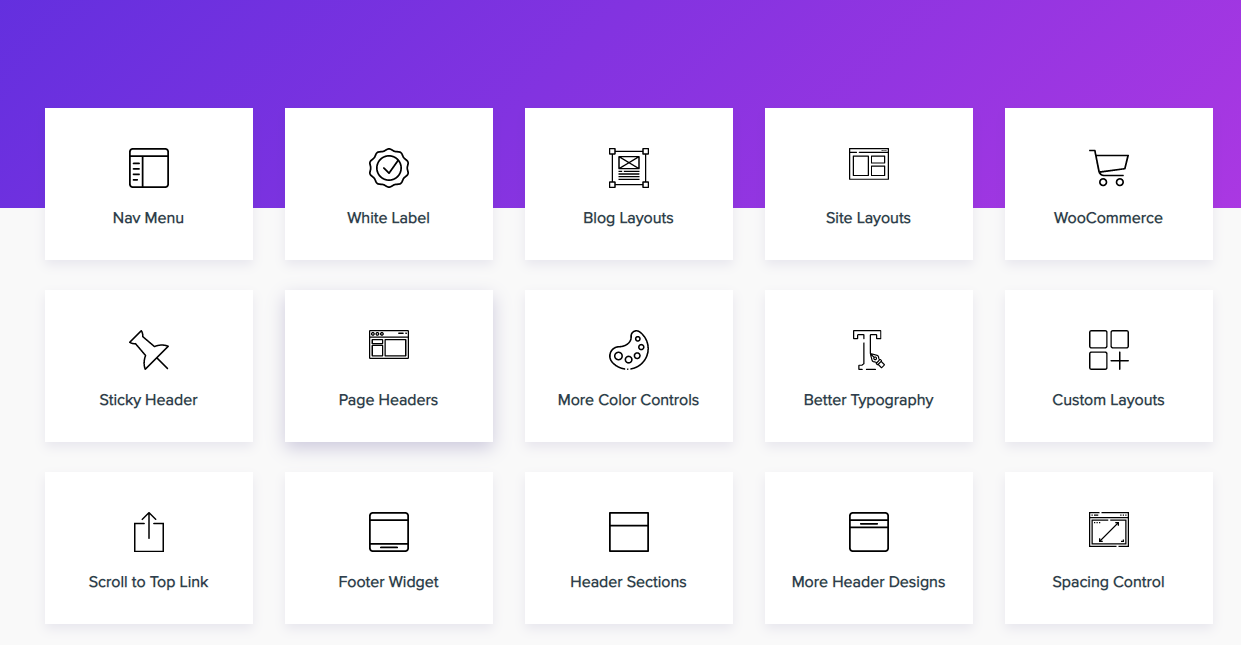
- Transparent Headers : An option for transparent header is available while designing your website which allows you to set your header transparent i.e it will merge primary header and page content. The upper section of the page will be set as background of primary header.
- Header and Footer : There are various inbuilt header and footer templates which can be used and modified as per user requirements.
- Page Headers: A custom header can be added and set to display on a specific page of a website. Header size, breadcrumbs etc all can be customized as per ones requirement.
- Sticky Header: Sticky header also known as fixed header, is a kind of tool that fixes the menu at the top of the screen as a user scrolls down a page. You can add this feature using Astra Pro without writing any CSS codes.
- Mobile Headers: This feature is again really helpful for designers as it allows them to customize mobile header view as per their requirements. A separate option to upload logo for mobile header is provided.
- Nav Menu: Nav menu also known as mega menu allows you to create a menu where you can showcase parent pages along with lower level sub pages. It is a two dimensional dropdown menu. One can highlight sub pages with a label, can add background images, change color for menu items.
- Colors and Typography: One can change colors and typography settings as per their design requirements.
- WooCommerce Supported: Astra Pro is WooCommerce supportive which helps one to build and customize their Ecommerce store easily.
- White Label: Astra Pro allows you use brand your own name. You can change fields to prove that product displayed on website is your own brand.
- Integeration with Learning Management System: Astra Pro offers seamless integration with LifterLMS and LearnDash, two awesome learning management systems. These platforms allow you to create, manage, and distribute online courses for your readers. Astra contributes well with advanced settings that let you enhance user experience with additional styling on such websites.
- SEO Optimization: Astra brings inbuilt Schema Integration and comes with basic schema mark-ups which helps to deliver rich SERP snippets to help bring more traffic to your website. Not only that, but the theme is developed following the best coding standards to make sure to offer better SEO performance.
We may have missed out some features above. You can especially benefit if you are a developer or designing agency that needs to build various niche websites for their clients. Its diverse collection of ready to use website demos and customization options makes it a priceless tool for web development. We would recommend to use Astra Pro above any other theme because of its fast page load speed, its lightweight and easily customizable i.e user friendly and is compatible with all the page builders like Elementor, Beaver Builder, Brizy etc. Astra Pro team also provides a great customer support service which helps designers to solve any issues regarding their sites. The team is continuously trying to improve performance of the theme and develop as many new features as possible.
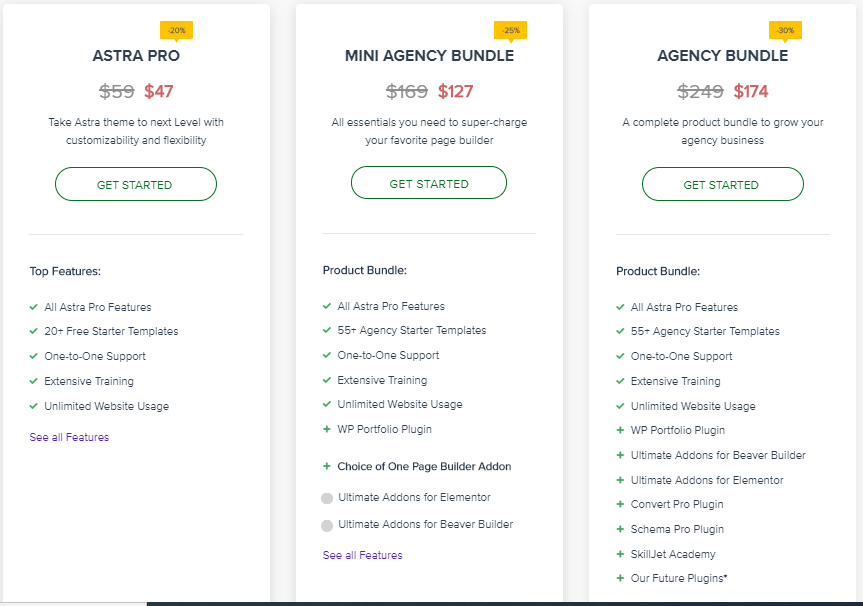
You can avail discount upto 30% with special Halloween Deals on all Brainstorm Force products.
You can also refer following article for more detail about Astra Pro v/s Astra Agency Bundle.